Local SEO is the work of making a business visible in Google search results and Google Maps to people looking for a service or shop nearby, based on its Google Business Profile and website. Google says that local results depend mainly on three things: relevance, distance and prominence, and that you cannot ask for a higher ranking or pay for one (Google Business Profile Help). You cannot change the distance from the person searching, so in practice you work on the other two: a complete profile that follows the guidelines, customer reviews, and a website whose data matches the profile.
In Poland “pozycjonowanie wizytówki Google” (optimizing a Google listing) has more searches than “pozycjonowanie lokalne” (local optimization), which is why I start with the business profile. The first keyword has about 1,300 searches a month, the second about 720, and “seo lokalne” (local SEO) about 210. DataForSEO classifies the service name itself (“google moja firma”, the Polish name of Google My Business, about 18,100, and “wizytówka google”, about 9,900) as navigational queries, so I treat it as people looking for the dashboard, not for advice. The company website gets its own section in this post, because Google takes part of the information for the profile from it, and in the regular results below the map the website competes on its own.
This post is based on Google's help pages and documentation opened on October 25, 2026, on Google results for seven keywords about local SEO, and on my notes from working with local businesses. I pulled the results through DataForSEO on October 25, 2026 for the whole of Poland, three times for each keyword, because a single snapshot of results is a draw of one of several variants. Demand is the median over 12 months from a measurement of October 18, 2026. Pulling the data for this post cost USD 0.04. I describe the examples from my work without company names and without data that would let anyone recognize them. In none of them do I have a measurement from before and after the changes yet, so I do not attribute any effects to them. The passages about regulations are a description, not legal advice.
Contents
- What is local SEO and how does it differ from optimizing a Google Business Profile?
- How does Google rank local results?
- How do you set up a Google Business Profile step by step?
- How do you complete your business profile so it helps in local results?
- Is Google Business Profile free?
- How do you get Google reviews within the rules?
- How do you optimize your website for local SEO?
- How do you check rankings and measure the results of local SEO?
- How do AI Overviews and AI assistants answer local questions?
- What should you avoid in local SEO?
- How much does local SEO cost and when can you do it yourself?
- Frequently asked questions about local SEO
- Where do you start with local SEO?
What is local SEO and how does it differ from optimizing a Google Business Profile?
Local SEO covers three places where a customer looks for a business nearby: the map block in Google results, Google Maps and the regular results below the map. The map block (the local pack) is a few business profiles with a map above the regular results. Optimizing a Business Profile is work on the profile itself: its data, categories, photos and reviews. Local SEO is the broader work, which also covers the company website and what other sites write about the company.

The map and the regular results are two separate lists, and you win them with different means. In a project for a medical facility, the facility's page reached 2nd place in the regular results for a keyword with the name of a city where the facility has no address. Its profile, on the other hand, did not appear in the map results from a point in the center of that city, even though I pulled up to 20 results per keyword (measurements from late September and early October 2026). The map is won largely by proximity, and the regular results by a page that matches the query. I expect the same pattern in any company that has one location and customers in several cities, because Google measures distance from the company's address.
Google treats “pozycjonowanie wizytówki google” (optimizing a Google listing) and “pozycjonowanie lokalne” (local optimization) as different queries. In three result pulls from October 25, 2026, the top ten for the first keyword had 17 different domains in total and the top ten for the second had 15, and only 2 of them were shared. For “pozycjonowanie wizytówki google” Google showed guides about the profile itself, and for “pozycjonowanie lokalne” and “seo lokalne” it showed agency offers and general guides (those two keywords shared 8 domains). In the “People also ask” section, “seo lokalne” kept bringing up questions about SEO in general, while for optimizing a listing it showed the question “Czy za wizytówkę w Google się płaci?” (“Do you pay for a Google listing?”), which appeared in each of the three pulls.
This post answers both intents in turn: first the business profile, then the website and measurement. If you only want to set up a profile, you will find it in the first two practical sections. If you are planning local SEO for a company with several locations or city pages, read the section on the company website too, because that is where it is easiest to make a mistake that Google treats as spam.
How does Google rank local results?
Google names three main factors for local results: relevance, distance and prominence. It describes them this way in Business Profile help (Google Business Profile Help):
- Relevance is how well a profile matches what someone is searching for. Google advises giving complete and detailed information about the business.
- Distance is how far the business is from the person searching. If the person does not share their location, Google uses what it knows about it.
- Prominence is how well known the business is. Google lists the number of pages that link to the business and the number of reviews here, and the more reviews and the better they are, the higher the ranking is likely to be.
On that page Google calls the same factor both popularity and prominence, in the English version too. The Polish version carries a note that it may contain an AI-generated translation, so when in doubt I read the English one. On the same page Google advises verifying the business, completing the data, responding to reviews and adding photos.
The category of a profile affects ranking, which Google says directly. In the help page about categories, Google writes that the categories you choose affect which local results you can appear in (Google Business Profile Help). In the measurement for a medical facility, the most common primary category in the top three of the map (86 of 249 places across the whole grid of points) was a different category from the one its profile had. That is why, before changing a category, I check which primary category the companies in the top three have, from several points in the city.
I compare the number of reviews with the companies that rank high in the same place, not with one number for all markets. In the same measurement, the median number of reviews of the top-three companies was 73 in the center of one city and 7 in the center of another. These are not thresholds that give a ranking: the top three in the center of the first city also included companies with 5, 11 and 17 reviews. A company with a few reviews can therefore rank high where its competitors have few, and a company with a hundred reviews can vanish a few kilometers away, because distance dominates there.
Local SEO specialists rank these factors in a similar way, with one exception that I do not recommend copying. In a Whitespark survey of 47 practitioners (report published on November 6, 2025), they rated the primary category of the profile highest for map results (227 points), then distance from the searcher (225) and keywords in the business name (223) (Whitespark). These are the opinions of practitioners, not Google data. The third factor is exactly what Google's guidelines forbid, which I describe below under the business name.
How do you set up a Google Business Profile step by step?
You can set up a Business Profile for free with a Google account, but first check whether your business can have one at all. According to the guidelines, a profile can be held by a business that has a location visited by customers, or one that travels to customers (Guidelines for representing your business on Google). These do not qualify:
- A virtual office, that is, a rented address where the business does not operate.
- An office in a coworking space, unless it is marked, staffed by the company's employees during opening hours and serves customers there.
- A PO box or a mailing address in a place other than the business.
- Sales representatives and lead generators for corporations. The guidelines do not treat them as independent professionals and do not give them a separate profile.
The setup steps are simple, and most problems come from duplicates and verification:
- Search for the business name in Google and in Maps. If a profile already exists, ask for ownership instead of creating a new one, because the guidelines allow one profile per location.
- Enter the business name, primary category, address or service area, phone number and website address.
- Verify the business with the method that Google offers.
- Complete the rest of the profile: hours, photos, services, description. Some features work only after verification.
- Add the people who help you run the profile as managers, and keep the owner rights for yourself.
Before creating a new profile, check what is already on your account. When I set up my own profile as a consultant on October 4, 2026, my Google account already had 3 earlier, unverified listings. Before verification I also could not add a link for booking appointments or posts, and the photos were waiting for verification. An old profile that the owner forgot about can keep showing customers an old phone number or address.
How does verification work and how long does it take?
Google chooses the verification method, and you only choose among those it shows you. Google writes that the available methods depend on the type of business, public information, region and opening hours, and that sometimes you have to go through more than one (Google Business Profile Help). The possible methods are a phone call or text message, email, a live video call, a video recording and a postcard with a code. For my profile the only method available was a video recording.
After you complete the verification steps, Google reviews the request usually within 5 business days, sometimes longer. With a postcard, most codes arrive within 14 days, and the code expires after 30 days. While you wait for the postcard, do not change the name, address or category and do not order a new code. Google writes that it sometimes verifies a profile immediately, for example when the business website is verified in Search Console.
Verification is meant to show a real place and a real business, so I do not stage recordings. In a video call, Google asks you to show signage outside or a street sign, the business's equipment or materials, and proof that you manage the business, for example access to staff-only rooms. Do not give the verification code to anyone, including the person who runs your profile: Google writes in the same help page that it never asks for this code.
How do you complete your business profile so it helps in local results?
Google writes that businesses with complete and up-to-date information are more likely to appear in local results. If the data is incorrect, the profile may not show up in matching local searches (Google Business Profile Help). Below I describe the fields one by one, according to Google's guidelines checked on October 25, 2026.
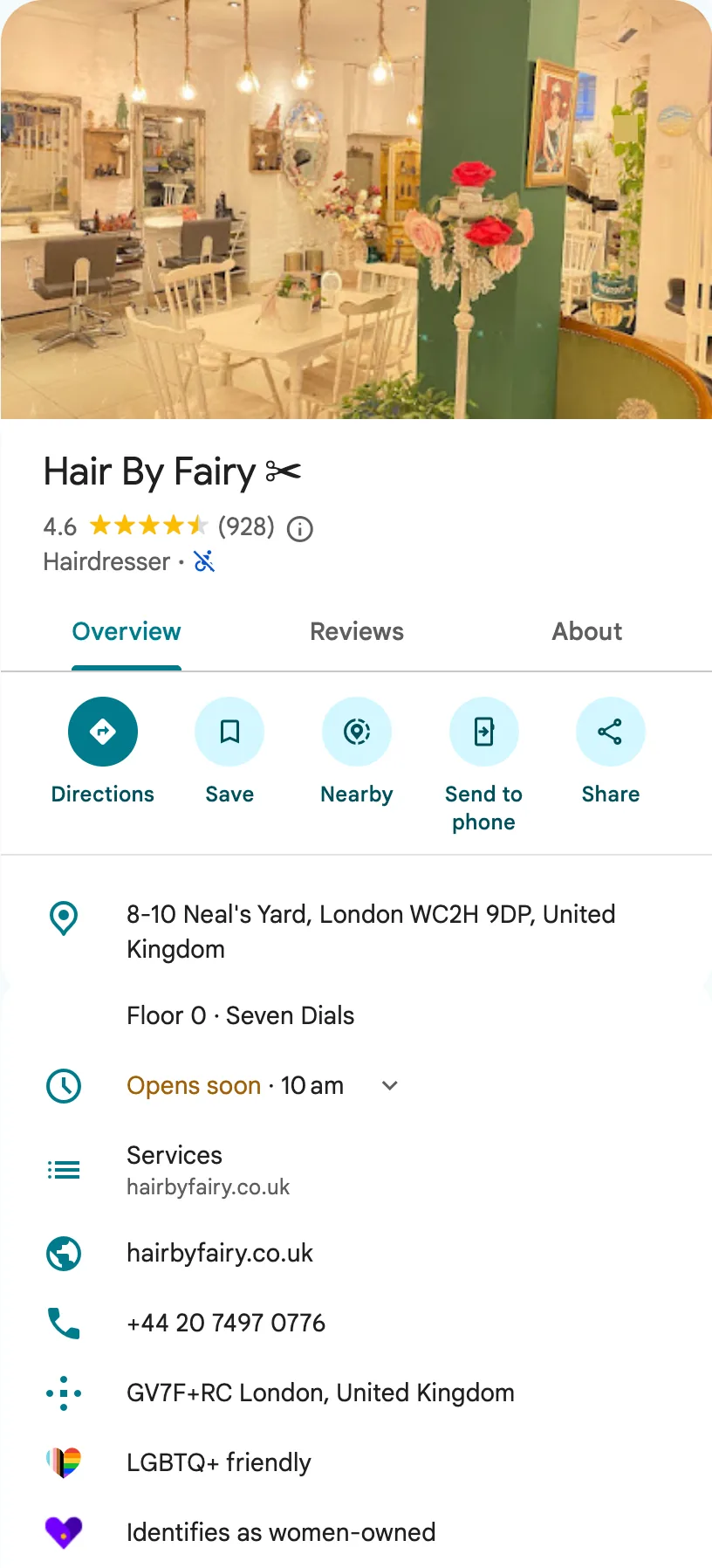
Business name without keywords
The name in the profile should be the same as on the sign, the website and the company's documents, with no additions. The guidelines say that including unnecessary information in the business name is not allowed and can result in suspension of the profile (Guidelines for representing your business on Google). Among other things, these are forbidden:
- Marketing taglines.
- The name of a service or product that is not in the real name of the business.
- A location, for example a district or the name of a shopping center.
- Opening hours, phone number and website address.
- Words in capital letters, the ® and ™ symbols and special characters, unless the business writes its name that way on its sign and in its documents.
An illustrative example: a company called “Kowalski Instalacje” should not have the name “Hydraulik Kraków 24h Kowalski Instalacje” in its profile. The words “hydraulik” (plumber), “Kraków” and “24h” have their own places: the category, the address or service area, and the hours. If a company is really called “Hydraulik Kowalski” (“Plumber Kowalski”) and that is what is on its sign and in the register, that is a different situation.
Keywords in the name work, and that is exactly why you need to know their cost. Joy Hawkins of the Sterling Sky agency, who has been testing local results for years, says so directly in the summary of her article:
“Instant Volatility: These gains are tied strictly to the name field; if keywords are removed or corrected, your rankings will “fall off a cliff” immediately.”
A ranking built on an addition to the name disappears with one correction, and a report from a competitor can end in suspension of the profile. The same article warns about suspension and, as the way that follows the rules, gives only changing the real name of the business or a rebrand, not an addition in the profile. When a competitor has keywords in the name, I report it to Google and do not do the same for a client. In the section on mistakes I describe how to send such a report.
Primary category and additional categories
The primary category should answer the question “what is this business”, not “what does this business have”. Google advises choosing as few categories as possible and the narrowest primary category you can, and not using categories as keywords or to describe attributes. After you choose a narrow category, Google adds the more general ones itself: for a “golf resort” it also takes into account a hotel and a golf course. When one business operates inside another, for example a café in a bookstore, each has its own category, and the bookstore does not add the café to its own.
The Polish list of categories does not have a category for every industry, so sometimes you have to choose the closest one. For my profile I did not find a category for SEO or online marketing and chose “Marketing consultant”. Google also judges relevance more broadly than the name of the category: in the measurement for a private facility for children, the profile was 6th in the free map results for a keyword about a service the facility does not provide. Such impressions will not bring customers, so in the profile statistics I check which keywords the profile appears for.
Address or service area
You show an address only if you serve customers at that address. A business that travels to customers, for example a plumber working from home, hides the address and sets a service area. A hybrid business, for example a restaurant with a dining room and delivery, shows the address and sets an area (Google Business Profile Help). At the displayed address there should be permanent signage with the business name.
You set the service area with cities, postal codes or regions, at most 20, and no wider than about 2 hours of driving from the base. You can no longer set a radius around the base. For my profile I set Warsaw and the Masovian Voivodeship, not the whole of Poland, even though I work remotely with clients from across the country. Entering the whole of Poland would break the guidelines on the extent of the area. Google does not describe the point from which it measures distance when the address is hidden, so I check the reach of such a profile with a measurement from several points.
One location means one profile, and the profile of a registered office is not a branch. In one of the projects a company had an additional profile at the address of an office where it did not receive customers. A company cannot use such a profile to appear on the map of another city, because turning it into a branch would break the guidelines and risk suspension of the company's profiles. A new place on the map requires a new place where customers are served or, for a service business, a new base with its own team and service area, and that is a business decision, not an SEO task. In the questions at the end of the post I describe the other situations in which a company can have several profiles.
Hours, photos, services and description
You enter the hours in which you serve customers, and you set holidays as special hours. The guidelines also say that businesses that operate only by appointment should not enter hours. The hours in the profile must match the hours on the website: for one client the website said 8:00-18:00 and the profile 8:00-16:00, so customers got two different answers to the same question.
Photos should show reality, and videos last at most 30 seconds. Google recommends photos that are sharp, well lit, without heavy editing or too many filters, and the limits are 10 KB to 5 MB for a photo and up to 75 MB for a video (Google Business Profile Help). The photos of a new profile appear only after verification. You can set the cover photo and the logo separately, but Google does not guarantee that the cover photo will be the first photo of the profile.
The business description has no room for links, promotions and prices. The guidelines say that the description should give useful information about the services and products, mission and history of the business. The services menu in the profile of a service business, for example a hairdresser, spa or garage, should include all the services available at that place, not a selection. Google shows products available in a physical store in this form only in selected countries: the guidelines list the USA, Canada, the United Kingdom and Ireland.
Posts, Q&A and attributes
Posts, the Q&A section and attributes add information to the profile that does not fit in the fixed fields. Google describes each of these features on a separate help page:
- Posts are news, offers and events with text, a photo or a video and a button with a link. Google shows them in the profile in Search and in Maps, and a post older than 6 months goes to the archive unless it has a date range set. A post from an unverified profile has a pending status and does not appear in Search or Maps (Google Business Profile Help).
- Questions and answers is a section in which the owner and the profile's managers answer questions about the business. Google notes that the feature works only in selected business categories and regions, and that its look and behavior may change (Google Business Profile Help).
- Attributes are features of the business, for example outdoor seating or Wi-Fi. Google writes that after you add some attributes, the business may appear in searches for places with those attributes. Google fills in some attributes based on information from customers, and checking changes usually takes about 10 minutes, sometimes up to 30 days (Google Business Profile Help).
Of these three help pages, only the one about attributes mentions an effect on search results. Google advises avoiding spelling mistakes, text that adds nothing and automatically generated content in posts, so I treat a post as a place for a real offer or event, not for repeating keywords.
Is Google Business Profile free?
Yes, Google Business Profile is free, and you pay only the companies that help you run it. Google writes that using the service is free, and that handing the profile over to an outside company usually involves costs (Google Business Profile Help). The keywords “czy wizytówka google jest płatna” (“is a Google listing paid”, about 140 searches a month) and “wizytówka google oszuści” (“Google listing scammers”, about 100) have steady demand in Poland, because business owners get phone calls demanding a fee.
If someone calls “from Google” and wants money for a listing, hang up. Google writes that it does not ask over the phone for payment information, registration in the service or personal data, and that when someone claiming to be a Google employee calls, it advises hanging up (Google Business Profile Help). Real automated calls from Google concern, among other things, checking business information in Maps, reservations or availability of services. Google adds that it never tries to get you to pay for keeping a profile, including its verification and reinstatement (Google Business Profile Help).
The police have described this scheme as the “Google listing” scam. In a notice of March 7, 2024, the Małopolska Police described a call in which a business owner was told to pay PLN 512 to “renew” the listing. They advised hanging up and reporting the attempt in a Google form or to the police (Małopolska Police).
A company that guarantees a place on the map promises something it cannot deliver. Google lists warning signs for outside companies:
- Lack of transparency. You have the right to know the statistics of your profile.
- A guaranteed ranking. An outside company cannot directly influence the ranking of a business in Search or Maps in any way and cannot promise it.
- Pretending to be a Google employee. Google advises asking for a first and last name and a message from an address in the google.com domain.
- Threats. An outside company cannot remove your business from Google or enter the profile without your consent.
- Inflated costs. Before you start working together, get a contract describing the services and their costs.
Leave a profile run by an agency on your own account as the primary owner, and give the agency the manager role. Then, when the engagement ends, you do not have to recover your own listing. Google writes that only profile owners control who has access to it and can change permissions at any time.
How do you get Google reviews within the rules?
Ask every customer for a review, with no reward and without picking the satisfied ones. Google allows you to encourage reviews that describe a real experience, and offers a link or a QR code for it (Google Business Profile Help). The Google Maps content policy forbids (Google Maps User Contributed Content Policy):

- Rewards for a review: money, discounts, free products and services. This also applies to a reward for changing or removing a negative review.
- Asking for reviews only from satisfied customers and discouraging negative reviews.
- Forcing reviews on the spot, on the premises, and putting on pressure.
- Asking for specific content of a review, including mentioning an employee.
- Setting employees a number of reviews to collect.
- Reviews written under a conflict of interest: by current and former employees, family, people tied to the business by a contract, and competitors.
- Reviews from several accounts of one person and reviews of competitors meant to harm their reputation.
The ban on asking for specific content means that you do not ask customers to put keywords in their review. This is popular advice in guides, but it contradicts the Google Maps policy. In the Polish version of this policy the ban on selectively asking for positive reviews is translated unclearly, so I read this part in English: “selectively solicit positive reviews from customers” is prohibited. The only test I know of also gives no reason to take on this risk:
“So, what we noticed about this test is that adding keywords to reviews did not help this business’ local pack ranking on Maps.”
It is a single test on one business, so I treat it as a hint, not proof. The business had 18 reviews in total, 6 of which were written in the test by people who had never been customers, and Google later removed two of them. I do not repeat such a test with clients, because those are fake reviews too. In the Whitespark survey, keywords in Google reviews come only 36th among the factors for map results, far behind the number of reviews with text.
Reviews are also a trust signal that Google describes outside local results. The guidelines for people who rate the quality of search results (Search Quality Rater Guidelines, version of September 11, 2025), in section 3.3.2, tell raters to treat a large number of detailed, credible, positive reviews as evidence of a business's good reputation. They also tell raters to read them carefully, because the owner or a person hired by the owner may have written them. In the post on E-E-A-T I describe how raters check a business's reputation and trust in it.
How do you respond to customer reviews?
Respond to reviews briefly, politely and without advertising, and respond to negative ones quickly and with specifics. Google writes that a response to a review shows that you value customers' opinions, and that positive reviews and helpful responses can help a business stand out from competitors. For a negative review, Google advises not revealing the author's data, checking the history of the author's contact with the business, admitting a mistake if there was one, explaining limitations, apologizing, and signing the response with a first and last name or initials.
Lack of responses to reviews is the gap I start with, because the owner can fix it alone, without changes to the website. In the measurement for a private facility for children, the owner had not responded to a single review, including the one-star ones. A customer who reads such reviews without responses sees only one side of the story. A survey of customers' declarations leads to the same conclusion:
“80% of consumers say they’re likely to use a business that responds to all of its reviews. 42% say they’re unlikely to use a business that never replies.”
The 80% and 42% are the declarations of 1,002 adults in the USA, not a measurement of customer behavior in Poland. I respond to reviews because customers read them, not to put keywords into the responses. In the same survey, generic or templated responses put off half of the customers, so I treat a response template as a starting point, not as ready text to paste.
Can you remove a negative review from Google?
You cannot remove someone else's review yourself, even if it is negative. From the profile you report a review that breaks the content policy, and Google decides whether to remove it (Google Business Profile Help). Outside Google, only the author can remove a review (Google Maps Help). Google will not remove a negative review that follows the policy, and an offer to “remove a review for a fee” is a warning sign, because an outside company can at most report it, just as you can. The questions “Jak usunąć negatywną opinię?” (“How do you remove a negative review?”) and “Ile kosztuje usunięcie opinii z Google?” (“How much does it cost to remove a review from Google?”) appeared in each of the three pulls of results for “wizytówka google oszuści”.
A sudden flood of one- or two-star reviews followed by a demand for money to remove them is extortion, and you report it separately. Google describes this scheme and has a separate report form for it (Google Business Profile Help). I do not pay and I do not negotiate: I record the dates and content of the reviews, report them through the form and respond calmly under each of them.
What do Polish regulations say about consumer reviews?
Since January 1, 2023, posting and commissioning fake reviews has been an unfair market practice in Poland that is banned in all circumstances. The Act on Counteracting Unfair Market Practices lists in Article 7 point 26 “posting or commissioning another person to post untrue opinions or recommendations of consumers, or distorting opinions or recommendations of consumers in order to promote products” (my translation) (ISAP, consolidated text, Journal of Laws 2023 item 845). The provision was added by the amendment of December 1, 2022, which implemented the EU Omnibus Directive (2019/2161). The ban therefore also covers a company that orders reviews, not only the one that writes them.
The Office of Competition and Consumer Protection (UOKiK) has already fined companies that sold reviews in Google Maps. In a notice of February 27, 2023, the office described an agency that “created and posted fictitious comments in Google Maps listings” (my translation) and fined it PLN 40,000. In the same notice, about another company, UOKiK wrote that such actions were meant “above all to improve the ranking of these companies on the internet” (my translation) (UOKiK). In a notice of July 30, 2024 about two more fines (PLN 35,000 and PLN 50,618, decisions not final at the time), the office addressed companies directly: “Are you buying fake reviews? Are you commissioning them? You are breaking the law.” (my translation) (UOKiK).
The fine can reach 10% of a company's turnover, and for a manager PLN 2 million. The Act on Competition and Consumer Protection allows the President of UOKiK to impose on a business a fine of up to 10% of the previous year's turnover for a practice that infringes the collective interests of consumers (Article 106(1)(4)), and on a manager who intentionally allowed it, up to PLN 2,000,000 (Article 106b) (ISAP, consolidated text, Journal of Laws 2025 item 1714). These are upper limits, not typical fines: in the cases described, the fines were tens of thousands of zlotys.
If you show reviews on your own website, you have additional obligations. Article 6(4)(7) of the Act on Counteracting Unfair Market Practices counts among the material information in an invitation to purchase whether and how you ensure that published reviews come from customers who used or bought the product. Article 7 point 25 of that act bans claiming that reviews come from customers if you have not taken reasonable and proportionate steps to check it. In its charges of January 14, 2026, UOKiK judged that merely ticking a box with a purchase declaration, without an order number or a receipt, may not be such a step (UOKiK). In its charges of June 3, 2026 against an accommodation portal, the office questioned the ability to switch off the ratings panel, because it may let a business hide negative reviews, and the President of UOKiK recalled that distorting reviews, including hiding negative ratings, is an unfair market practice (UOKiK). If you run your own review system, a contest or a referral program, ask a lawyer, because this post is not legal advice.
How do you optimize your website for local SEO?
A company website works twice in local SEO: as a source of data for the profile and as a listing in the regular results below the map. Google writes that information in business profiles comes, among other things, from public web content, for example the business's official website, from licensed data, from users and from business owners (Google Business Profile Help). The guidelines also require a phone number or a website in the profile that leads to the specific location. With several branches, the link from each profile therefore leads to that branch's page, not to the home page.
Location pages and service pages for a city
Every real branch deserves its own page, and so does every city you have something specific to say about. A branch page has the address, hours, phone number, directions, photos, team and the services available at that place. A city page for a company that travels to customers makes sense when the company really works there and can show it: with completed jobs, travel time and conditions.
Google describes many similar city pages that lead to one offer as spam. In its spam policies, Google lists among examples of abusing doorway pages many domains or pages targeted at specific regions or cities that funnel users to one page (Google Search Central). In my projects I see this pattern in two versions:
- A service intermediary with several hundred city pages, in which the texts for small towns overlapped by about half. On the map it was visible in only one of the cities where it had a physical address.
- A branch with 22 local pages without internal links, 11 of which had a similar layout and targeted surrounding towns. On the day of the measurement only one of the 22 pages was in the top three for its keyword, and the pages had been created at different times. Instead of multiplying city variants, I proposed one page with real content for customers from the big city: how to get there, how long the trip takes and by what transport.
The length of a city page is not a problem if the content differs. At a B2B company with a dozen or so city pages, a site scan refuted my assumption that the pages were thin: they had 1,800-2,600 words each and no near-duplicates. The problem was demand close to zero in some of the cities. That is why I check demand for keywords with a city using several query patterns, because zero in a keyword tool may mean only that the keyword is below the reporting threshold.
NAP data consistent with the profile
Name, address and phone number (NAP) should be the same on the website, in the profile and in business directories. Google's guidelines tell you to represent the business as it is represented on its sign and in its documents, and to give a local phone number instead of a hotline when possible. In my projects I follow one rule: one form of the name, one address and one phone number, written the same way everywhere.
Contact details on the website are also a trust signal, not only a formality. The quality rater guidelines (section 2.5.3) say that contact details and customer service information are especially important for pages that take money, for example stores. For one client, the content of the new contact page had only a phone number and an email, and the address was only in the footer, despite a section inviting people to visit. In the post on E-E-A-T I explain how Google describes trust in a site and a business.
LocalBusiness structured data
LocalBusiness structured data describes a business to a search engine in the page code, and Google requires only the name and address in it. Google's documentation (updated on September 8, 2026) recommends the narrowest subtype, for example Restaurant or DaySpa, and for several kinds of activity an array of types, for example Electrician, Plumber and Locksmith (Google Search Central). The recommended fields include coordinates with a precision of at least 5 decimal places and opening hours. Each branch gets a separate LocalBusiness object, preferably on its location page.
Do not mark up ratings from the Google profile on your own website as a rating of your business. Google writes that the aggregateRating field is recommended only for pages that collect reviews about other businesses. In the rules for review snippets it adds that a business that controls reviews about itself on its own website, including through an embedded widget with Google or Facebook reviews, will not get stars in results (Google Search Central). I check the code in the Rich Results Test, and then with the URL inspection tool in Search Console. Structured data is not evidence of AI citations, as I write in the post on AI SEO, but it describes the business without guesswork.
Links from local sites and directories
Google counts links to a business as part of prominence, so there is an additional reason for local links in local SEO. I start with places that already mention the business: industry directories, chambers and associations, partners, local media and organizations the business supports. I choose a directory by whether people use it and whether it has traffic from Google, not by the number of directories in a package. In the post on link building I described how I choose places for links and how to get them without paying. I check the technical state of the company website the same way as in any SEO audit.
How do you check rankings and measure the results of local SEO?
You check map rankings from several points, because each customer sees different results depending on where they are. This follows directly from the distance factor. A check from the office shows the results for one person: the one sitting in the office.
One branch can be at the top of the map in its neighborhood and disappear 3 km away. In the measurement for a private facility for children, from a point next to the facility the profile was in the top three of the map for 7 of 14 keywords. From the center of the same city, about 3 km away, it was in the top twenty for only 3 of 14 keywords and in the top three for none. In the measurement for a medical facility, at a point 3 km from it the profile was in the top three for none of 9 keywords (for 8 of 9 it was in places 4-7), and at a point 7 km from the facility it did not appear for any of them, although the map showed from 1 to 7 businesses per keyword there.
Tools for this kind of measurement are called geogrid trackers. They check the ranking of the same keyword from many points on a map, typically in a 3x3, 5x5 or 7x7 layout, that is from 9, 25 or 49 points (BrightLocal, July 15, 2024, updated March 31, 2026). When a profile disappears at individual points close to its base, practitioners at Sterling Sky link this to a filter: with two businesses in the same primary category located about 60 m apart, Google usually shows one of them (Sterling Sky, April 17, 2023). This is a rule from observation, not from Google's documentation.
I set up the grid where the customers are, not evenly across the whole city. I place points next to the branch, in the districts the business has customers from, and in places where it wants to have them. For each keyword I record the ranking at each point and count at how many points the business is in the top three. I repeat the measurement from the same points, because otherwise I am comparing two different measurements.
The profile itself gives a free preview: its statistics show the keywords the profile appeared for. Google updates these keywords at the beginning of each month, and the data may take up to 5 days to appear (Google Business Profile Help). This is a list of queries, not rankings, but it shows whether the profile appears for service keywords or only for the business name.
How do you measure results in profile statistics and in Analytics?
I measure the effect of local SEO by phone calls, direction requests and inquiries, not by impressions alone. Profile statistics show profile impressions in Search and in Maps, keywords, requests for directions, clicks on the phone number and the website, messages and bookings. Google notes that the data is available only for verified profiles and includes free results and Google Ads. Google counts the same person at most once a day, but may count them several times when they visit the profile from different devices and services, for example from Maps and from Search, so the number of impressions is not the number of different customers. You can pull data from several profiles into a spreadsheet at once and compare locations.
You can link a profile to Google Analytics 4, and it is worth tagging the link to the website with UTM parameters. The link is set up in the Analytics admin panel, in the section for links to services (Product links). Google writes that data from the profile then goes to Analytics: interactions, clicks to the website, phone calls, directions, messages, bookings and clicks on the menu (Google Business Profile Help). UTM parameters in the website address in the profile (for example ?utm_source=google&utm_medium=organic&utm_campaign=profil-firmy) separate visits from the profile from regular results in Analytics.
Search Console does not reliably separate visits from the profile from the rest of the traffic. Google usually attributes clicks there to the canonical address (Search Console Help), so with a canonical tag pointing to an address without UTM parameters, visits from the profile mix with the rest. For measuring results I use the profile statistics and Analytics.
I record the baseline before the first change, because without it I cannot attribute an effect to any piece of work. I record profile statistics from several months, rankings from the same grid points, the number and pace of reviews, and phone calls and forms from Analytics. I count deadlines from the day the changes are in production and I have access to the profiles, not from the signing of the contract. I record each hypothesis with a condition that would refute it, for example the number of grid points at which the business is to enter the top three.
How do AI Overviews and AI assistants answer local questions?
Google writes that a business profile helps you be visible both in AI answers and in regular results. The guide to optimizing for AI features (updated July 10, 2026) says that a Google business profile helps show products and services in AI answers and in other search results (Google Search Central). Among the best practices for AI features, Google also lists checking that the information in the Business Profile is up to date (Google Search Central).
In my measurement, AI Overviews and the map block excluded each other. In a project for a medical facility (40 keywords, September 26, 2026), on desktop each of the 18 results without an AI Overview had a map block, and none of the 22 results with an AI Overview did. On mobile it was the same: 19 of 19 and 0 of 21. On desktop 14 of the 18 keywords with a map contained a city name or a type of facility. This is one project and one day. A separate, large Ahrefs measurement shows that AI Overviews appear less often for local queries: for 7.9% of them against 20.5% of all queries (desktop results from September 2025, Ahrefs, November 10, 2025). That measurement does not, however, check whether an AI Overview and a map appear together.
“Local search has remained somewhat insulated from this AI upheaval. While informational content-based websites have seen their traffic fall off a cliff with the introduction of AI Overviews, AI Mode, ChatGPT, Gemini, and others, research and discovery of local businesses is still predominantly done through Google’s local results because it’s a much better experience for local intent queries than LLM responses.”
In a test of an OpenAI model with search, 11 of 12 answers to local questions named places with a rating or with a link to Google Maps. I asked them on September 26, 2026 through the API of the GPT-4.1 mini model with search, in the same project. I did not check the ChatGPT app and did not establish where the data about places came from.
Answers from AI about business profiles have to be checked against the source. In each of the three pulls of results from October 25, 2026, the AI Overview for “pozycjonowanie wizytówki google” (optimizing a Google listing) advised adding videos of up to 100 MB, while Google's help gives a limit of 75 MB. In Google's documentation I did not find two other pieces of advice from that answer: about photos with GPS location turned on and about “natural local keywords” in responses to reviews.
In a Gemini test, a local business appeared in answers mainly when the question was looking for a place. The Gemini 2.5 Flash model, queried through the API on September 27, 2026, named the medical facility for 14 of 20 keywords pointing to a facility or a place (among others a type of facility, the word “prywatnie” (“privately”), the name of a city or region) and for none of 20 how-to keywords. I split the keywords into these two groups with a simple rule, not with intent data. In the post on SEO consulting I write how the form of a question changes the result of a measurement, and in the post on brand visibility in AI I described the method of such a measurement.
What should you avoid in local SEO?
Some local SEO mistakes can end in suspension of the profile, not just a drop of a few positions. In the guidelines Google notes that it may suspend access to a profile for businesses that break the rules, and that when a violation is unlawful it may cooperate with law enforcement (Guidelines for representing your business on Google). I do not do these things and I advise against them:
- Keywords, a city and marketing taglines in the business name.
- Virtual offices, PO boxes and other people's addresses given as a branch.
- Several profiles for one location, or a separate profile for each specialization of one person.
- Bought reviews, reviews for a discount, reviews from employees and family, asking only satisfied customers.
- Categories used as keywords, for example a category for every service in the offer.
- Dozens of similar city pages leading to one offer.
- An agency as the only owner of the profile, and a verification code given to someone over the phone.
- A staged verification recording or other people's photos in the profile.
I do not answer unfair competition on the map in kind. When a competitor has keywords in the name or a fictitious address, I propose an edit in Maps or send a complaint through the Google form for correcting business information. In it I give the address of the profile in Maps, mark what the violation concerns (name, address, phone number, website, or a business that does not exist) and quote the content that breaks the guidelines. Google notes that it does not guarantee action and does not report the status of a complaint, so I record the report with a date and check the profile again later. It is slower than copying the same trick, but it does not put the client's profile at risk of suspension.
How much does local SEO cost and when can you do it yourself?
The profile itself costs nothing, and with one location you can do the basic work yourself. Setting up and completing the profile, asking for reviews and responding to them, and matching hours on the website and in the profile are tasks for the owner or an employee, and how long they take depends on the state of the profile. Outside help makes sense with several locations, city pages, structured data, grid measurement and a suspended profile.
For a small local business I start with the cheapest scope that fixes the main problem. First the profile, response templates for reviews, directories and measurement, and the website and content only when the measurement shows that they are what blocks the results. The fee for running it should not be higher than the advertising budget, because then more money goes to the service than to winning customers. In the post on SEO consulting I described when measurement and a plan are enough without ongoing cooperation, and in the post on SEO strategy I write how I calculate how much winning a customer can cost.
I am cautious about subscriptions for “optimizing a listing” with a guaranteed place on the map. Google writes that an outside company cannot promise such a ranking, as I write above under the warning signs. On October 25, 2026, the AI Overview for “pozycjonowanie wizytówki google” (optimizing a Google listing) gave ranges of monthly prices without a source, so I do not repeat them.
Frequently asked questions about local SEO
Is a Google Business Profile free?
Yes, Google Business Profile is free. You pay only when you hire an outside company to run the profile or buy Google Ads. A phone call demanding a fee for keeping or “renewing” a listing is a scam attempt: Google does not ask over the phone for payment or a verification code.
How long does Google Business Profile verification take?
Usually up to 5 business days after you complete the verification steps, sometimes longer. With a postcard, most codes arrive within 14 days, and the code is valid for 30 days. Google chooses the verification method, and for some businesses the only method available is a video recording.
Can I have a Business Profile without an address?
Yes, if you travel to customers and do not serve them at your own address. Then you hide the address and set a service area: at most 20 cities, postal codes or regions, no further than about 2 hours of driving from the base. I check the ranking of such a profile in maps from several points of the area, because Google does not describe from which point it measures distance in that case.
Can one business have several Business Profiles?
Yes, if it has several places that meet Google's guidelines. The basis is locations that serve customers: one location has one profile. A service business without premises has one profile per service area, unless it has separate bases, each with its own team and area. A department that serves customers as a separate unit, for example a hospital ward, can also have its own profile. A specialist who sees customers under their own name, for example a doctor or a lawyer, can also have their own profile, but not a separate profile for each specialization.
How do you delete a Google Business Profile?
Deleting a profile from your account does not guarantee that the business will disappear from Google Maps. The primary owner removes the content and managers of the profile in the profile settings: posts, photos, videos and responses to reviews disappear, and customers' reviews stay. The business may keep appearing in Search and in Maps unless it fails to meet the guidelines. If the business has stopped operating, mark it as permanently closed while doing this: Google writes that the profile then does not disappear at once, but gradually. Anyone, including a person who does not manage the profile, can ask for the removal of the profile of a business that does not exist or does not meet the guidelines by suggesting an edit in Maps.
What are the penalties for fake Google reviews?
Google removes such reviews and may restrict or suspend the profile, and in Poland posting and commissioning fake reviews is a banned market practice. Since January 1, 2023 it has been banned by Article 7 point 26 of the Act on Counteracting Unfair Market Practices. UOKiK has already fined companies that sold reviews in Google Maps, and the upper limit of a fine is 10% of the company's turnover.
Do responses to reviews help rankings?
Google lists responding to reviews on the page about improving local ranking, but justifies it by saying that responses help a business stand out. It does not state directly that responses raise ranking. I respond to reviews because customers read them. I did not find advice about “local keywords in responses” in Google's documentation.
Does local SEO work without a website?
A profile can appear on maps without a website, but a website gives a second chance in the regular results and is a source of data for the profile. Without a website you also lose room for a description of services, a price list and a contact form, which are the things that turn an impression into an inquiry.
Where do you start with local SEO?
Start by checking your own profile, not by setting up a new one. Search for your business in Google Maps and check the name, primary category, address or area, hours, phone number and website link. Compare them with the data on the website and remove the differences. Then ask every customer from the past week for a review, respond to all reviews that have no response, and check which primary category the companies in the top three have, at two or three points in the city. If after that you still do not see your business on the map where your customers are, write through the contact page.
External sources (checked on October 25, 2026):
- Google Business Profile Help: Tips to improve your local ranking on Google (support.google.com)
- Google Business Profile Help: Guidelines for representing your business on Google (support.google.com)
- Google Business Profile Help: Manage your business category (support.google.com)
- Google Business Profile Help: Verify your business on Google (support.google.com)
- Google Business Profile Help: Manage your service areas (support.google.com)
- Google Business Profile Help: Manage photos and videos on your Business Profile (support.google.com)
- Google Business Profile Help: Create and manage posts on your Business Profile (support.google.com)
- Google Business Profile Help: Edit your Business Profile (support.google.com)
- Google Business Profile Help: Manage your business attributes (support.google.com)
- Google Business Profile Help: Tips for working with third-party companies (support.google.com)
- Google Business Profile Help: Recognize scam phone calls and text messages (support.google.com)
- Google Business Profile Help: Keep your business profile on Google secure (support.google.com)
- Google Business Profile Help: Tips to get more reviews (support.google.com)
- Google Business Profile Help: Report extortion attempts related to negative reviews (support.google.com)
- Google Maps Help: Add, edit, or delete Google Maps reviews & ratings (support.google.com)
- Google Business Profile Help: Business information correction complaint form (support.google.com)
- Google Business Profile Help: Remove a Business Profile from your Google Account (support.google.com)
- Google Business Profile Help: Request removal of a Business Profile from Google Search & Maps (support.google.com)
- Google Maps: Prohibited & restricted content (support.google.com)
- Google Business Profile Help: How Google sources info in Business Profiles (support.google.com)
- Google Business Profile Help: Business Profile performance (support.google.com)
- Google Business Profile Help: Connect your Business Profile to Google Analytics (support.google.com)
- Search Console Help: What are impressions, position, and clicks? (support.google.com)
- Google Search Central: Local business structured data (developers.google.com)
- Google Search Central: Review snippet structured data (developers.google.com)
- Google Search Central: Spam policies for Google web search (developers.google.com)
- Google Search Central: Optimizing for generative AI search (developers.google.com)
- Google Search Central: AI features and your website (developers.google.com)
- Google: Search Quality Rater Guidelines (September 11, 2025) (guidelines.raterhub.com)
- ISAP: Act on Counteracting Unfair Market Practices, Journal of Laws 2023 item 845 (isap.sejm.gov.pl)
- ISAP: Act on Competition and Consumer Protection, Journal of Laws 2025 item 1714 (isap.sejm.gov.pl)
- UOKiK: A fine for a reviews dealer (February 27, 2023) (archiwum.uokik.gov.pl)
- UOKiK: Fake reviews? Stop! (July 30, 2024) (uokik.gov.pl)
- UOKiK: Can you rely on these reviews? (January 14, 2026) (uokik.gov.pl)
- UOKiK: Nocowanie.pl charged by the President of UOKiK (June 3, 2026) (uokik.gov.pl)
- Małopolska Police: The “Google listing” scam (March 7, 2024) (malopolska.policja.gov.pl)
- Whitespark: Local Search Ranking Factors (November 6, 2025) (whitespark.ca)
- Sterling Sky: How to Optimize Your Google Business Name for Better Ranking (sterlingsky.ca)
- Sterling Sky: Does the Text in a Google Review Affect Map Pack Rankings? (sterlingsky.ca)
- Sterling Sky: Uncovering Filtering Issues: A Guide to Using Geogrid Rank Trackers Effectively (April 17, 2023) (sterlingsky.ca)
- BrightLocal: Local Consumer Review Survey 2026 (brightlocal.com)
- BrightLocal: Geo Grid Ranking Tools Compared (brightlocal.com)
- Ahrefs: What Triggers AI Overviews? (November 10, 2025) (ahrefs.com)
Own data: Google results through DataForSEO (7 keywords, 3 pulls, October 25, 2026), DataForSEO demand (median over 12 months, October 18, 2026), map measurements and tests of AI models through the API in local projects (September and October 2026), my own Business Profile (October 2026).